Sample 4 : Total mass of a piping
1. Goal
Create a script that will (after pressing RUN button) calculate the total mass of a piping based on the MetaL file.
2. Script definition
From the Home/Python, click on button 2 (Add script) :
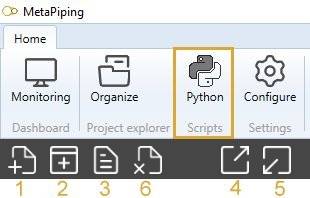
Select “Project script” and give it the name “Total mass of the piping”
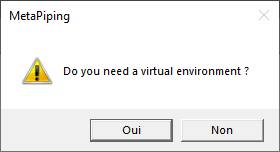
Say NO to the question about creation of virtual environment. The Requirements.txt will be hidden.
3. Script properties
Add 1 METAL input and 1 TEXT output :

The input METAL must receive the MetaL file (the internal file format of MetaPiping) from a connection of the main study brick.
The output TEXT shows the result.
4. Main.py
Copy/paste this code in the Editor :
from Cwantic.MetaPiping.Core import Piping

# Check if the connection has been made with the MetaL connector
metal = study.getMetal()
if metal != None:
    total = 0
    for item in metal.Elements:
        if isinstance(item, Piping):
            # item is a Piping so we can access the Section property
            mass = item.Section.LinearMass * item.DL.Length
            total += mass
    study.Outputs[0] = "Total mass = {} kg".format(total)
else:
    study.Outputs[0] = "Please connect MetaL !"
Save it !
5. Result
When you add this script in a current study, connect the MetaL output of the study brick and after a click on the RUN button :

You have the total mass !